
Findings
After a scan OpenDisk runs its rules and lists what they matched, grouped by category and sorted by size.
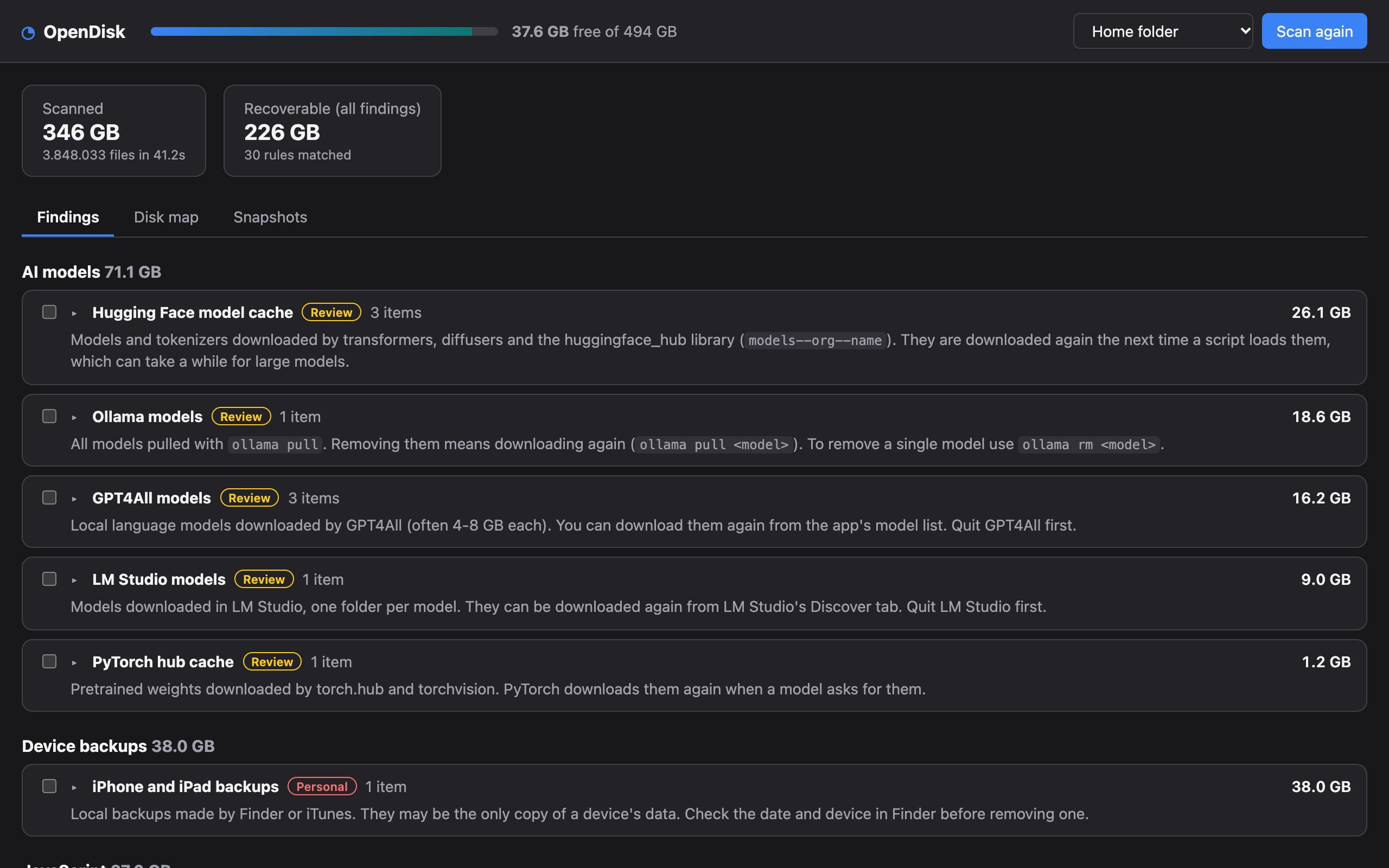
Each finding shows:
- What it is and why it can go, in plain words, including what happens next time you need it.
- A safety badge:
- Regenerable a cache the tool rebuilds on its own;
- Review rebuildable but costly to get back (large model downloads, build archives);
- Personal your own data, such as device backups.
- The official tool OpenDisk will use instead of deleting files, when there is one (
brew cleanup,xcrun simctl delete unavailable,docker system prune…). - The apps that must be closed before cleaning it.
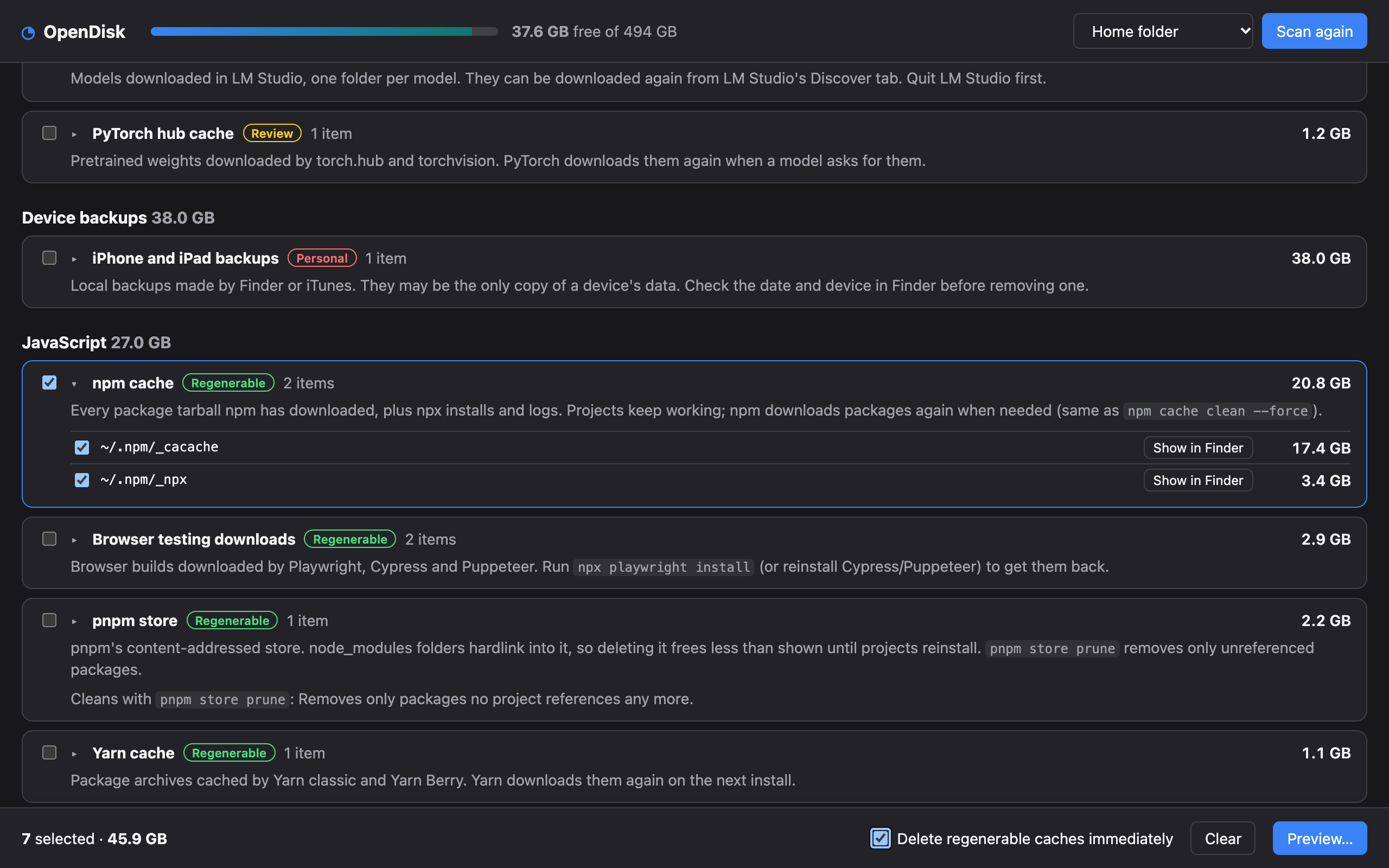
Click a finding to see every matched folder or file, its size, and Show in Finder.
Selecting
Tick a whole finding or single items. The bar at the bottom shows how much you selected and opens the preview.
Why something is not listed
- No rule covers it. OpenDisk only offers what a rule explains; use the disk map to find everything else, and suggest a rule.
- It is empty. Empty matches are hidden.
- A more specific rule already claimed it. For example
~/.cache/huggingface/hubbelongs to the Hugging Face rule, not to the generic~/.cacherule. - It is a symlink, or lives under a protected folder (see Safety model).