Cycles and inbetweens
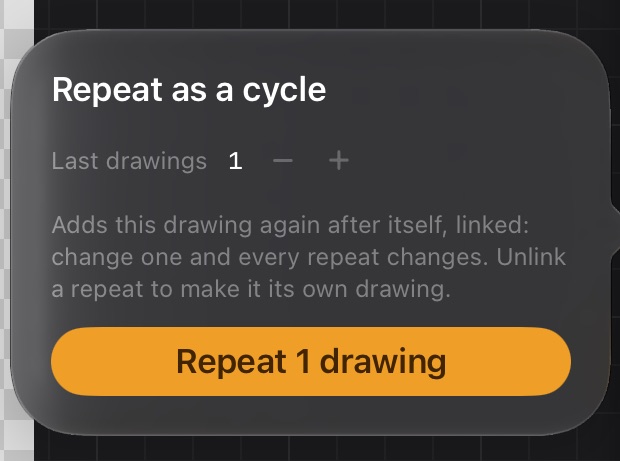
Repeat as a cycle
A walk, a run or an idle breath repeats the same few drawings. Instead of copying them, repeat them linked: change one and every repeat changes with it.
- Go to the last drawing of the cycle.
- Tap More → Repeat drawings… on the animation rail and choose how many of the last drawings to repeat.
- Tap Repeat N drawings. They're added after the playhead, with the same timing.
Repeats show a link icon and the number of the drawing they repeat. Drawing on a repeat edits the original. Labels carry over too, so a step event fires on every loop in Unity.
- Unlink (on the rail, or long-press the cell) turns a repeat into its own drawing, keeping a copy.
- Deleting a repeat never deletes the original.
- With All on the rail, the frames repeat on every layer.
Inbetween halfway
To add a pose between two drawings, split the time of the first one in two: More → Split drawing halfway.
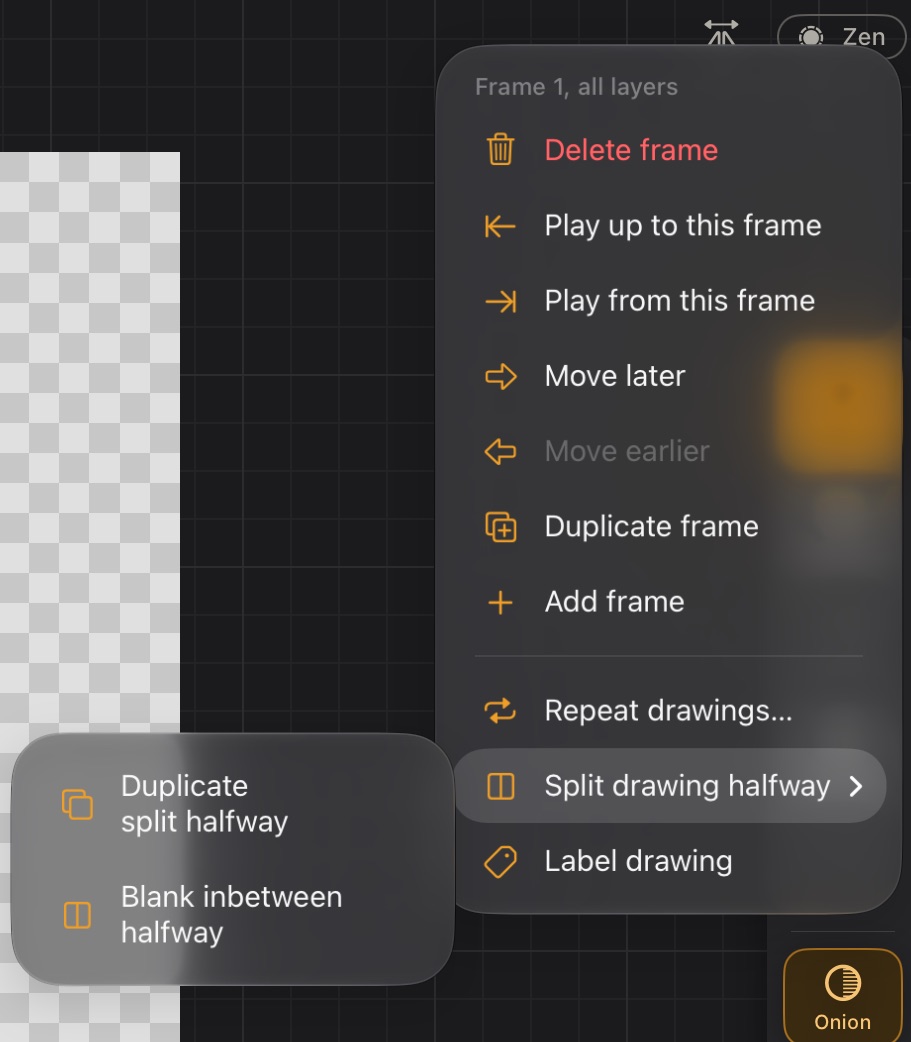
- Blank inbetween halfway: the second half becomes a new, empty drawing to draw the inbetween. The onion skin shows the drawings on both sides.
- Duplicate split halfway: the second half becomes a copy, to adjust from there.
The clip's total length doesn't change, and other layers are untouched. The drawing must last at least 2 frames; with an odd length, the first half keeps the extra frame.
Tween a motion
For things that move without changing shape (a projectile, a sword swing, an idle float, an effect), Calco can draw the poses in between for you.
- On the starting drawing, More → Tween motion…. The drawing floats, as with Move. To tween only part of it (an arm), pick those strokes with Move first.
- Put it in its end pose with the usual handles: move, turn, scale, stretch. The start stays faint underneath, and dashed boxes show every pose in between.
- In the bar under the canvas, choose how many Frames it takes and the easing: Linear, Ease in (starts slow), Ease out (slows down at the end) or Smooth (both). Arc makes the way curve instead of going straight; drag the dot in its middle to bend it.
- ✓ paints each pose on the frames after the start, on that layer, adding frames at the end if the clip is too short. The other layers hold. If it would replace drawings already there, the bar says how many first. One undo takes it all back; ✕ leaves everything as it was.
Pencil strokes are painted again in every pose, so they stay sharp even when scaled up.