Preferences
Open them from the gear in the gallery (⌘,).
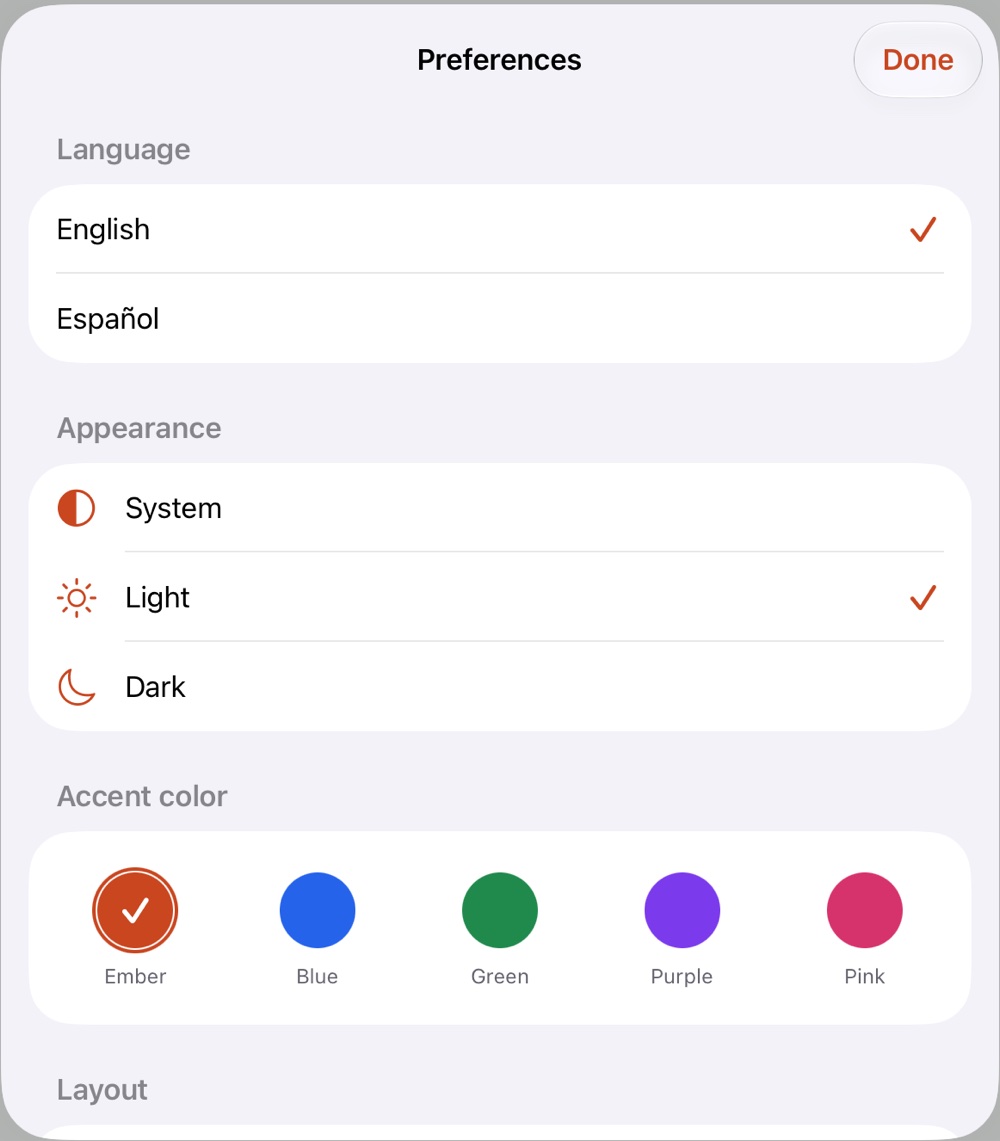
General
- Language: English or Spanish.
- Appearance: system, light or dark.
- Accent color: ember, blue, green, purple or pink.
- Layout: tools on the right and the color panel on the left, for left-handed drawing (like Aseprite's mirrored layout).
Editor
After Aseprite's preferences:
- Alpha and opacity shown as 0–255 or as a percentage.
- Rewind on stop: stopping playback goes back to the frame it started from.
- Show sizes while drawing: the size label next to a shape or selection while you drag it. On by default.
- Undo steps: more steps use more memory with big sprites.
- Transparent background: the checkerboard's size (automatic keeps the squares a similar size on screen at any zoom) and its two colors.
- Grid: the colors of the pixel grid and the tile grid. The color's opacity is the grid's opacity.
Apple Pencil and touch
- Finger: draws until the Pencil is used (the default), always draws, or only navigates. Two fingers always move and zoom the canvas.
- Double tap and Squeeze: what the Pencil gestures do. See Apple Pencil and gestures.
More
- Keyboard shortcuts: the full list. See Keyboard shortcuts.
- Extensions and Scripts: install, see and remove them. See Scripts and extensions.
- Reset editor preferences puts the editor settings back; language, appearance and accent color are kept.